|
|
|

|
MLS Number
Street Address
Search Radius
State
City Name or Zip Code
Property Type
Min. Price
Max. Price
Min. Beds
Min. Baths
North Carolina Homes For Sale (Most Popular)
Featured North Carolina Homes For Sale
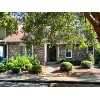
1985 Quail Ridge Road
- MLS
100349592
|
More...
|
$178,500Price/SQFoot: $125.88
3 bedrooms
2 full bath
Residential Property For Sale
Greenville NC 27858
QUAIL RIDGE, 3 BEDROOMS, 2 BATHS. Usher in the Fall in this lovely interior townhouse secluded in a dead-end parking lot. Pet lovers will appreciate there is no carpet in this h...
|
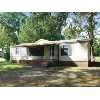
2504 Thomas Drive
- MLS
100346813
|
More...
|
$52,900Price/SQFoot: $50.09
3 bedrooms
2 full bath
Residential Property For Sale
Kinston NC 28501
Mobile home features 3 bedrooms 2 baths large living room, formal dining area and washer/dryer area plus storage. Quiet neighborhood on the edge of Kinston
|
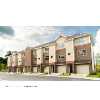
275 HUGH SHELTON LOOP #20
- MLS
473251
|
More...
|
$241,900Price/SQFoot: $155.96
2 bedrooms
2 full bath 1 half bath
Residential Property For Sale
Fayetteville NC 28301
THE LOFTS AT PARKVIEW OFFER DOWNTOWN LIVING AT AN AFFORDABLE PRICE. WALKING DISTANCE TO RESTAURANTS, PARKS & THE NEWLY PROPOSED BALLFIELD. PARK INSIDE THE TWO CAR GARAGE, THE SECO...
|
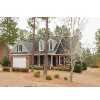
60 ROLLING PINES DR
- MLS
465202
|
More...
|
$289,900Price/SQFoot: $115.91
4 bedrooms
2 full bath 1 half bath
Residential Property For Sale
Spring Lake NC 28390
-Immaculate brick home on cul de sac across from #14. Lots of open space for entertaining. Formal Dining rm w/custom painting. Huge master dn, master bath boost sep ceramic tile s...
|
2217 WINTERLOCHEN ROAD
- MLS
428534
|

More...
|
$189,900
3 bedrooms
2 half bath
Residential Property For Sale
Fayetteville NC 28305
WELL MAINTAINED FOREST LAKES HOME WITH LOTS OF POTENTIAL PRICED $35,000 BELOW TAX VALUE. HARDWOODS UNDER CARPET. OLD SCHOOL QUALITY CONSTRUCTION. LARGE LIVING AND DINING ROOM. DEN...
|
1878-3 TRYON DRIVE
- MLS
417574
|

More...
|
$50,000
2 bedrooms
2 half bath
Other - For Sale
Fayetteville NC 28303
Buy what is for all intents & purposes a new condo for the price of existing.
You get new carpet, paint, walls, Kitchen (to include appliances), Bathrooms, HVAC & roof. This is ...
|
 Real Estate Trends for North Carolina Real Estate Trends for North Carolina
Average List Price: $981,842.33
 Average Days On Market: 157

> All Real Estate Trends
Top Schools in NC
My ViewMyListing Home Page
• Get a North Carolina Real Estate
website
• Post listings for the world to see
• Use powerful online real estate tools
>
Sign in or
>
Create Account to access your secure personal web pages.

Top U.S. Real Estate & Homes For Sale Searched Cities
North Carolina
Search/Sell/Research Real Estate Community -
Viewmylisting.com, a real estate search engine with listing data supplied by Realty
Companies, Realty Professionals, and For Sale by Owners. What makes a classified
posting on ViewMyListing.com unique is our ability to get your postings top on Google,
Yahoo and Bing so buyers can find your real estate for sale classified ad. Consumer
inquiries are directed to you safe and secure. ViewMyListing.com’s 360 degrees of
communication interface keeps you up-to-date on all posting activity 24/7. So if
you’re looking to have qualified buyers find your Property for sale classified ad,
post a classified ad today.
North Carolina
Real Estate For Sale, Homes For Sale, For Sale By Owner (FSBO) and Rentals Classified Network - ViewMyListing.com also includes a full range of categories, from antiques to tools. Once you create an account on ViewMyListing.com, look for the 'Post Local Classifieds' and get your classified postings top on Google, Yahoo and Bing.
Sign in(failed)
Your browser's cookie functionality is turned off.
Please turn it on. To learn how, select your
browser below.
Microsoft Internet Explorer
To enable cookies in Internet Explorer 7 or 8:
- Click Start > Control Panel. (Note: with Windows
XP Classic View, click the Windows Start button > Settings
> Control Panel).
- Double-click the Internet Options icon.
- Click the Privacy tab.
- Click the Advanced button.
- Select the option 'Override automatic cookie handling' under the Cookies
section in the Advanced Privacy Settings window.
- Select the 'Accept' or 'Prompt' option under 'First-party Cookies.'
- Select the 'Accept' or 'Prompt' option under 'Third-party Cookies.'
(Note: if you select the 'Prompt' option, you'll be prompted to click
OK every time a website attempts to send you a cookie.)
- In the Internet Options window, click OK to exit.
To enable cookies in Internet Explorer 6:
- Click Start > Control Panel. (Note: with Windows
XP Classic View, click the Windows Start button > Settings
> Control Panel).
- Click the Advanced button.
- Select the option 'Override Automatic Cookie Handling.'
- Select the 'Accept' or 'Prompt' option under 'First-party Cookies.'
- Select the 'Accept' or 'Prompt' option under 'Third-party Cookies.'
(Note: if you select the 'Prompt' option, you'll be prompted to click
OK every time a website attempts to send you a cookie.)
- In the Internet Options window, click OK to exit.
Mozilla
Firefox
To enable cookies in Mozilla Firefox 3.x (PC):
- Click Tools > Options.
- Click Privacy in the top panel.
- Set 'Firefox will': to Use custom settings for history.
- Check the box next to Accept cookies from sites to enable cookies,
or uncheck it to disable them.
- Click OK.
To enable cookies in Mozilla Firefox 2.x (PC):
- Click Tools > Options.
- Click Privacy in the top panel.
- Select the checkbox labeled 'Accept cookies from sites.'
- Click OK.
To enable cookies in Mozilla Firefox (Mac):
- Go to the Firefox drop-down menu.
- Select Preferences.
- Click Privacy.
- Set 'Firefox will': to Use custom settings for history.
- Check the box next to Accept cookies from sites to enable cookies,
or uncheck it to disable them.
- Click OK.
Chrome
To enable cookies in Chrome (PC):
- Click the Tools menu.
- Select Options.
- Click the Under the Hood tab.
- Click Content settings in the 'Privacy' section.
- Make sure Allow local data to be set is selected to allow both
first-party and third-party cookies. For any given webpage, first-party cookies
are cookies that are set by the site domain listed in the address bar. Third-party
cookies come from other domain sources that have items, such as ads or images, embedded
on the page. If you only want to accept first-party cookies, check the box next
to Block all third-party cookies without exception.
To enable cookies in Chrome (Mac):
- Select Chrome > Preferences on the menu bar.
- Click the Under the Hood tab.
- Click Content settings in the 'Privacy' section.
- Make sure Allow local data to be set is selected to allow both
first-party and third-party cookies. For any given webpage, first-party cookies
are cookies that are set by the site domain listed in the address bar. Third-party
cookies come from other domain sources that have items, such as ads or images, embedded
on the page. If you only want to accept first-party cookies, check the box next
to Block all third-party cookies without exception.
Safari
To enable cookies in Safari:
- Go to the Safari drop-down menu.
- Select Preferences.
- Click Security in the top panel.
- Under 'Accept Cookies' select the option 'Only from sites you navigate
to.'
|
|