|
|
|

|

MLS Number
Street Address
Search Radius
State
City Name or Zip Code
Property Type
Min. Price
Max. Price
Min. Beds
Min. Baths
Premium Seller Service Award
9 Westbury Rd
- MLS
5074873
|

More...
|
$449,900Price/SQFoot: $287.48
3 bedrooms
2 full bath
Residential Property For Sale
Meredith NH 03253
Charming Meredith Home on Nearly an Acre, with deeded beach rights! Welcome to 9 Westbury Road in beautiful Meredith, NH — a well-maintained 3-bedroom, 2-bathhome with 1,577 sq ft...
|
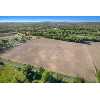
3074 W Monroe Road
- MLS
22023079
|
More...
|
$199,900
Vacant Land - For Sale
Hart MI 49420
34.52 acre farm land parcel in Weare Township. Zoned Agricultural/Rural Residential which may allow for farms, single family dwellings, residential family care facilities, public ...
|
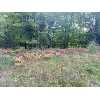
5312 W Riverside Lane
- MLS
22004185
|
More...
|
$54,000
Vacant Land - For Sale
Ludington MI 49431
This beautiful lot is located on a cul-de-sac in Riverview Estates. Great location for building your new home, so close to Ludington, a quick drive to Lake Michigan and the Ludin...
|
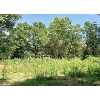
2980 Holton Road
- MLS
24001090
|
More...
|
$23,000
Vacant Land - For Sale
Twin Lake MI 49457
How would you like to build your dream home and be able to run a business out of it? This lot is almost an acre and a lot of the heavy lifting has been done already. It is cleared...
|
6430 Northland Drive NE
- MLS
24006641
|

More...
|
$275,000Price/SQFoot: $218.43
3 bedrooms
1 full bath
Residential Property For Sale
Rockford MI 49341
This quaint 3 bedroom/1 bath Cape Cod is located in the charming town of Rockford. The exterior features a classic brick front and spacious covered porch. Step inside and you'll l...
|
2466 Cedar Crest Drive NE
- MLS
24026987
|

More...
|
$350,000Price/SQFoot: $277.12
4 bedrooms
2 full bath
Residential Property For Sale
Grand Rapids MI 49525
Welcome Home; look no further. You have found your own personal oasis that will be hard to duplicate at this price range. This property has 4 bedrooms, 2 full baths, 1263 sq. ft. ...
|
Queens Village Real Estate & Homes For Sale
No listings found for the above search.
 Top Schools in Queens Village, NY Top Schools in Queens Village, NY
My ViewMyListing Home Page
• Get a Queens Village Real Estate
website
• Post listings for the world to see
• Use powerful online real estate tools
>
Sign in or
>
Create Account to access your secure personal web pages.

Top U.S. Real Estate & Homes For Sale Searched Cities
Queens Village
Search/Sell/Research Real Estate Community -
Viewmylisting.com, a real estate search engine with listing data supplied by Realty
Companies, Realty Professionals, and For Sale by Owners. What makes a classified
posting on ViewMyListing.com unique is our ability to get your postings top on Google,
Yahoo and Bing so buyers can find your real estate for sale classified ad. Consumer
inquiries are directed to you safe and secure. ViewMyListing.com’s 360 degrees of
communication interface keeps you up-to-date on all posting activity 24/7. So if
you’re looking to have qualified buyers find your Property for sale classified ad,
post a classified ad today.
Queens Village
Real Estate For Sale, Homes For Sale, For Sale By Owner (FSBO) and Rentals Classified Network - ViewMyListing.com also includes a full range of categories, from antiques to tools. Once you create an account on ViewMyListing.com, look for the 'Post Local Classifieds' and get your classified postings top on Google, Yahoo and Bing.
Sign in(failed)
Your browser's cookie functionality is turned off.
Please turn it on. To learn how, select your
browser below.
Microsoft Internet Explorer
To enable cookies in Internet Explorer 7 or 8:
- Click Start > Control Panel. (Note: with Windows
XP Classic View, click the Windows Start button > Settings
> Control Panel).
- Double-click the Internet Options icon.
- Click the Privacy tab.
- Click the Advanced button.
- Select the option 'Override automatic cookie handling' under the Cookies
section in the Advanced Privacy Settings window.
- Select the 'Accept' or 'Prompt' option under 'First-party Cookies.'
- Select the 'Accept' or 'Prompt' option under 'Third-party Cookies.'
(Note: if you select the 'Prompt' option, you'll be prompted to click
OK every time a website attempts to send you a cookie.)
- In the Internet Options window, click OK to exit.
To enable cookies in Internet Explorer 6:
- Click Start > Control Panel. (Note: with Windows
XP Classic View, click the Windows Start button > Settings
> Control Panel).
- Click the Advanced button.
- Select the option 'Override Automatic Cookie Handling.'
- Select the 'Accept' or 'Prompt' option under 'First-party Cookies.'
- Select the 'Accept' or 'Prompt' option under 'Third-party Cookies.'
(Note: if you select the 'Prompt' option, you'll be prompted to click
OK every time a website attempts to send you a cookie.)
- In the Internet Options window, click OK to exit.
Mozilla
Firefox
To enable cookies in Mozilla Firefox 3.x (PC):
- Click Tools > Options.
- Click Privacy in the top panel.
- Set 'Firefox will': to Use custom settings for history.
- Check the box next to Accept cookies from sites to enable cookies,
or uncheck it to disable them.
- Click OK.
To enable cookies in Mozilla Firefox 2.x (PC):
- Click Tools > Options.
- Click Privacy in the top panel.
- Select the checkbox labeled 'Accept cookies from sites.'
- Click OK.
To enable cookies in Mozilla Firefox (Mac):
- Go to the Firefox drop-down menu.
- Select Preferences.
- Click Privacy.
- Set 'Firefox will': to Use custom settings for history.
- Check the box next to Accept cookies from sites to enable cookies,
or uncheck it to disable them.
- Click OK.
Chrome
To enable cookies in Chrome (PC):
- Click the Tools menu.
- Select Options.
- Click the Under the Hood tab.
- Click Content settings in the 'Privacy' section.
- Make sure Allow local data to be set is selected to allow both
first-party and third-party cookies. For any given webpage, first-party cookies
are cookies that are set by the site domain listed in the address bar. Third-party
cookies come from other domain sources that have items, such as ads or images, embedded
on the page. If you only want to accept first-party cookies, check the box next
to Block all third-party cookies without exception.
To enable cookies in Chrome (Mac):
- Select Chrome > Preferences on the menu bar.
- Click the Under the Hood tab.
- Click Content settings in the 'Privacy' section.
- Make sure Allow local data to be set is selected to allow both
first-party and third-party cookies. For any given webpage, first-party cookies
are cookies that are set by the site domain listed in the address bar. Third-party
cookies come from other domain sources that have items, such as ads or images, embedded
on the page. If you only want to accept first-party cookies, check the box next
to Block all third-party cookies without exception.
Safari
To enable cookies in Safari:
- Go to the Safari drop-down menu.
- Select Preferences.
- Click Security in the top panel.
- Under 'Accept Cookies' select the option 'Only from sites you navigate
to.'
|
|